Every account, one list
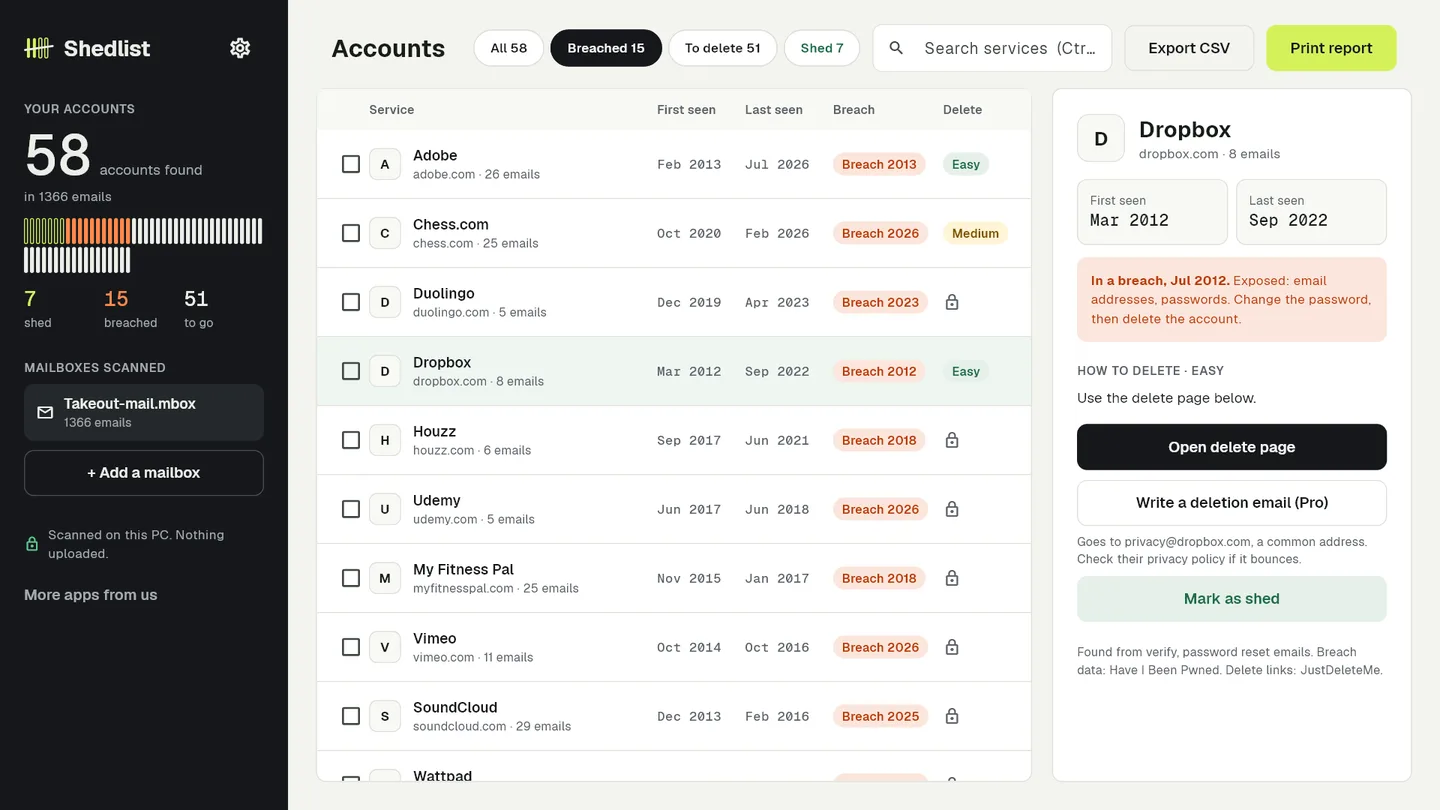
Welcome, verify and password-reset emails become a list with first and last seen dates, recognised in 12 languages. Mail from friends is ignored.
Shedlist scans your own email on your own computer or phone, lists every service you signed up for, flags data breaches and shows how to delete each one.
Free scan shows every account. Pro is $24 once, no subscription.
29-second demo. The video loads from YouTube only when you press play.
Every breach email is a surprise. Three breaches in one week, and you only learn you had an account when the notice arrives.
Digging through years of mail by hand. Searching "welcome" and "verify" one result at a time takes an evening and still misses half.
Cloud tools want your whole inbox. Handing full Gmail access to a startup to protect your privacy feels backwards, and then it bills you every year.
Welcome, verify and password-reset emails become a list with first and last seen dates, recognised in 12 languages. Mail from friends is ignored.
Services hit by a public data breach while you had an account are flagged, with what leaked. 986 breaches bundled from Have I Been Pwned, updated from this site.
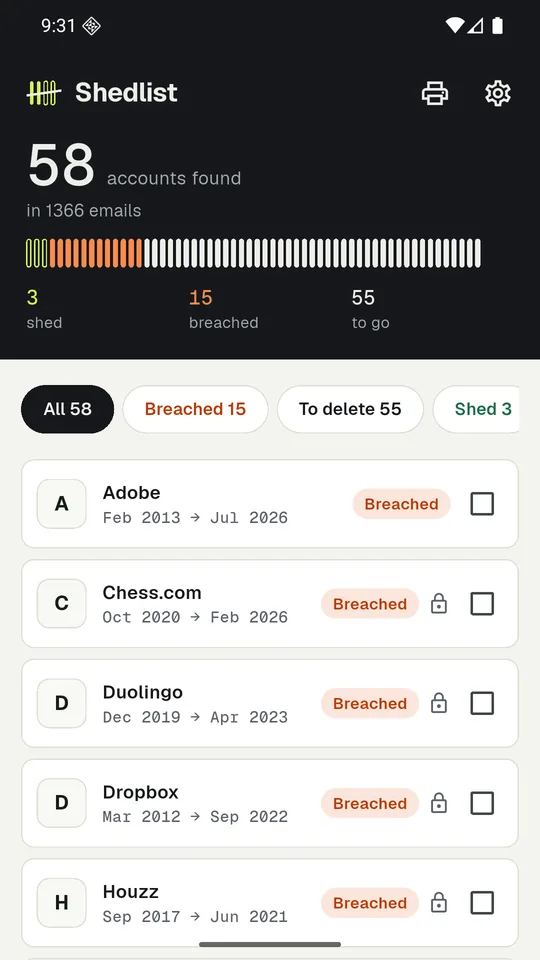
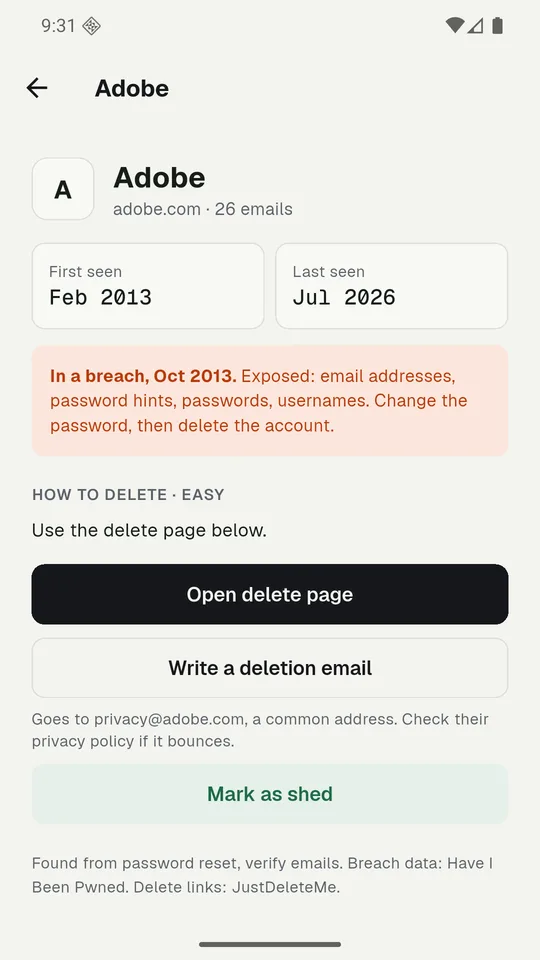
Delete links and steps for 2,687 services, or a ready-made GDPR / CCPA deletion email for the rest, opened in your own mail app. Tick each one off and watch the list shrink.
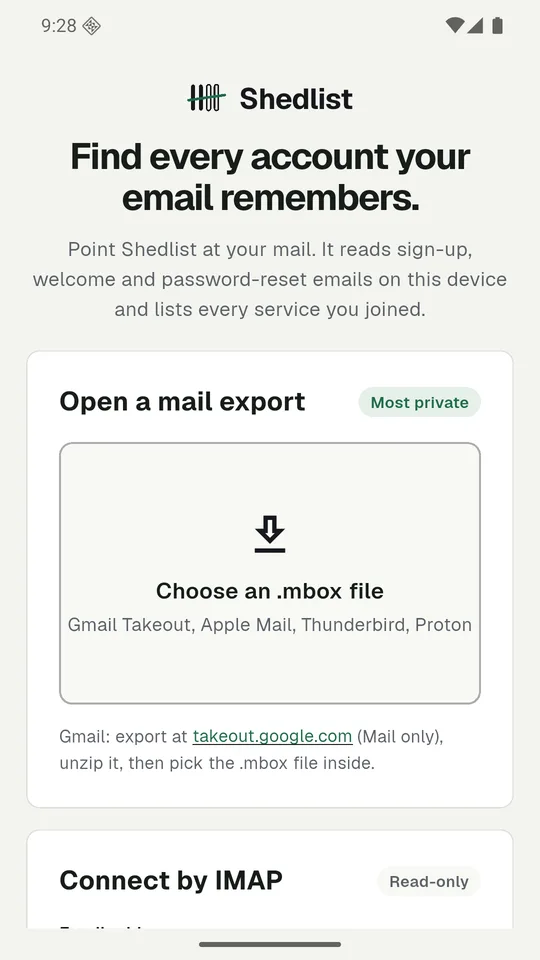
Drop in a Gmail Takeout .mbox, or connect any mailbox by read-only IMAP.
Only sender, subject and date are read. Nothing is uploaded.
Breached services first, each with its delete link or deletion email.
Tick services off, then print a report of what is left.
Less than one year of the cloud tools, and they never see your inbox. On Android Shedlist is free and supported by ads: a short video opens 10 more services.
No. Shedlist has no server. It reads mail on your device and keeps results in a local file.
No, and that is on purpose: tools that claim to often don't. You get the link, the steps or a ready-made email you send yourself, so you know it happened.
It goes straight from your device to your mail server, for one scan, and is never saved. Use an app password.
Gmail Takeout, Apple Mail, Thunderbird and Proton exports (.mbox), folders of .eml files on Windows, and any IMAP mailbox that allows app passwords (Gmail, Yahoo, iCloud, Fastmail). Outlook.com over IMAP and Outlook .pst files are not supported yet.
Cleaning up accounts is a job you do once or twice a year. A subscription for that never made sense.
The scan is free and shows every account before you pay anything.